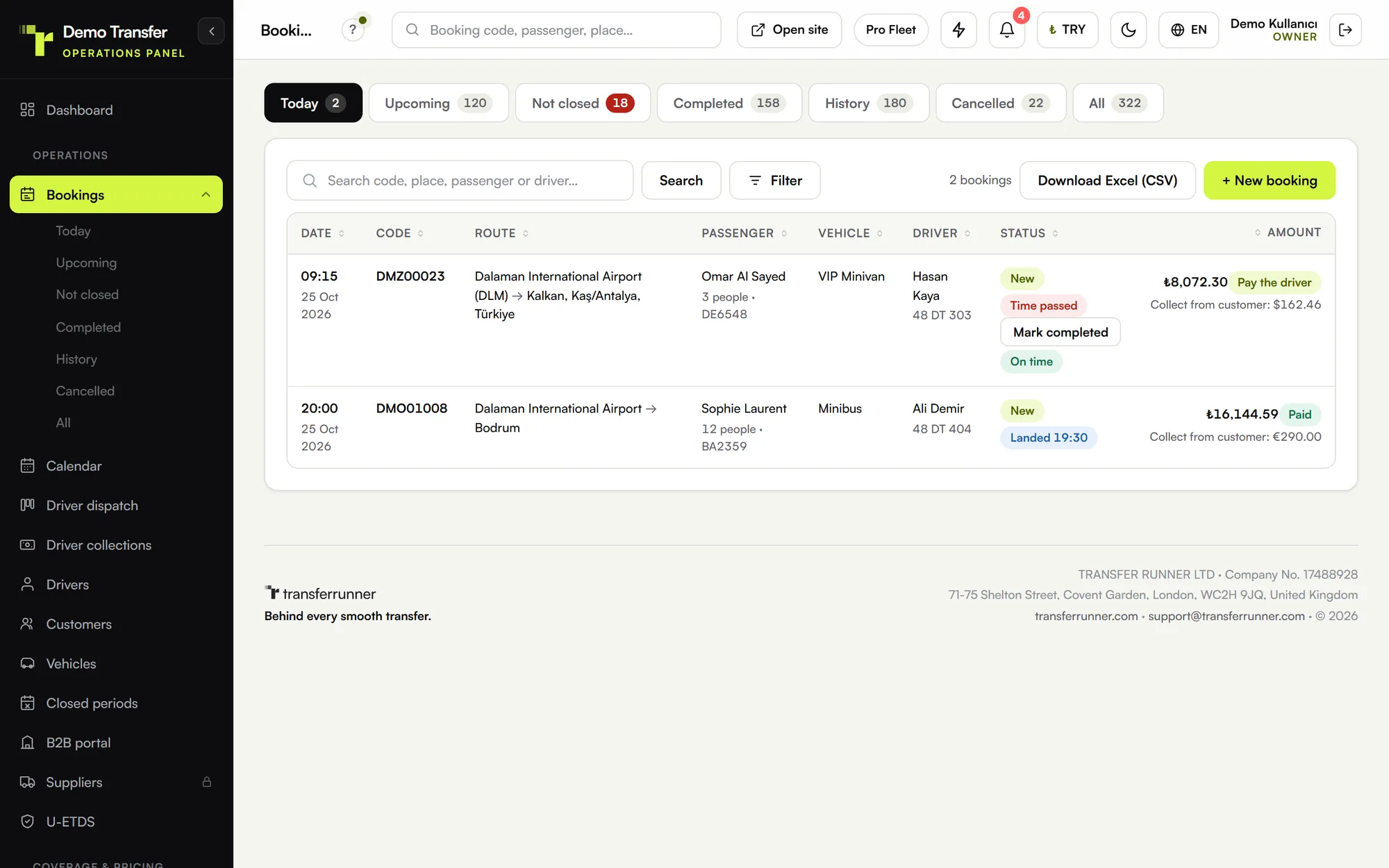
Most transfer companies do not choose booking software on a quiet afternoon. They choose it after a missed pick-up, a double-booked vehicle or one season too many of copying details between WhatsApp and a spreadsheet. That is a bad moment to compare long feature lists, so here is a shorter way to judge: take a normal week in your business and ask whether the software handles each part of it without you stepping in.
Start with how you set prices
Pricing is where general booking tools fall apart. A transfer company rarely has one simple price per kilometre. You have fixed prices between an airport and a resort region, different prices per vehicle, higher prices in summer, a child seat that costs extra and perhaps a discount on return trips.
Before you look at anything else, take your ten most common routes and try to enter them. Then ask:
- Can I set a fixed price per region and per vehicle, and still use a per-kilometre price where I have no fixed one?
- Can prices change by season without me rewriting them?
- Can I add extras and discount codes?
- Does the passenger see the final price before paying, with no call back from my office?
If a quote still needs a person, what you have is a contact form, not a booking system.
Check what it knows about flights
An airport transfer depends on something you do not control: the plane. Software built for this work should ask for the flight number at booking and keep checking the flight until it lands. When the landing time changes, the pick-up time should change too, the driver should see it and the passenger should be told.
Also ask how waiting is handled. You should be able to set your own free waiting time after landing, because that rule is part of your price. Our page on flight tracking for airport transfers shows how we do it, but the same questions apply to any product you try.
Follow one booking after it is paid
Many tools are good at taking a booking and weak at everything that comes after it. During a demo, follow a single job from start to finish:
- How does the job reach a driver? Dragging it onto a name takes seconds. Copying it into a chat takes longer and leaves no record.
- Does the system warn you about clashing times, or about a vehicle too small for the group?
- Can the driver see the day's jobs on a phone and mark each step without calling the office?
- Can the office see those steps as they happen?
- Is cash collected by the driver recorded anywhere?
Ask to try the driver side on an ordinary phone. If your least technical driver cannot use it after five minutes of explanation, it will not get used.
Read what the passenger receives
A passenger landing in a foreign country wants to know one thing: who is picking me up? Good software sends a confirmation, then the driver's name and plate, then a reminder, without anyone in your office typing them. Check whether messages go out by WhatsApp, e-mail and SMS, because many travellers read WhatsApp first when they are abroad, and whether each message arrives in the passenger's own language.
The same goes for the site. If you sell to visitors from several countries, count how many languages the booking site really has and check whether prices can be shown in the currency the visitor uses.
Ask where the money goes
Two questions matter here. First, does the provider take a percentage of each booking? A commission looks small in a slow month and much bigger in a busy one, so work it out on your busiest month, not your quietest. Second, when a passenger pays by card, does the money go straight to your account through your own payment provider, or does it sit with the software company first? Neither model is automatically wrong, but you should know which one you are buying.
Then add up the whole price: the monthly fee, any setup fee, the cost of messages, and the limits on users, drivers and flight checks. Limits often matter more than the headline price. Our plans and pricing page lists the limits plan by plan, so you can use it as a template when you compare.
If you work with hotels and agencies
If part of your income comes from hotels or agencies, phone bookings and end-of-month statements will take hours of your week. Look for a separate login where each partner books at their agreed price and the booking goes on their account, ideally with a credit limit and a statement they can download themselves. If you have no partners yet, this can wait. Just check that it can be added later without changing systems.
Find out how you would leave
This is the question few people ask in a demo: what happens if I stop using this? Your customer list and booking history belong to you. Ask whether you can download them yourself from the panel, without opening a support ticket. Ask too whether the booking site can run on your own domain. An address you own stays yours, whichever software sits behind it.
A one-hour test
A short test with your own data tells you more. If a product offers a trial, use it like this (ours is 7 days on any plan, with no card needed):
- Enter your three busiest routes with their real prices.
- Make a booking on your phone as a passenger, with a real flight number.
- Give the job to a driver and open the driver's view on a second phone.
- Read every message the passenger received.
- Change the booking and see who finds out, and how.
If you get through all five without calling support, you have probably found something your team can live with.
To see the modules and prices in one place, read our transfer software page.