Plenty of good transfer companies run on a spreadsheet and a WhatsApp group. There is no shame in that. Both tools are free, everyone knows how to use them and they work well for a handful of vehicles. The trouble starts quietly, usually in the first busy summer, when the system that lives in one person's head stops fitting there.
Signs you have outgrown it
You do not need software because a brochure says so. You need it when you recognise these:
- Only one person really knows what is happening today, and that person cannot take a day off.
- Two people have edited the sheet, and nobody is sure which version is right.
- A driver asks "what time is my next job?" and the answer means scrolling up through a chat.
- You learn a flight was late when the passenger calls you.
- At the end of the month you cannot say what each vehicle earned, or how much cash is still with each driver.
Two or three of these and the cost is already there, you just pay it in stress and mistakes rather than a monthly fee.
What a dispatch board changes
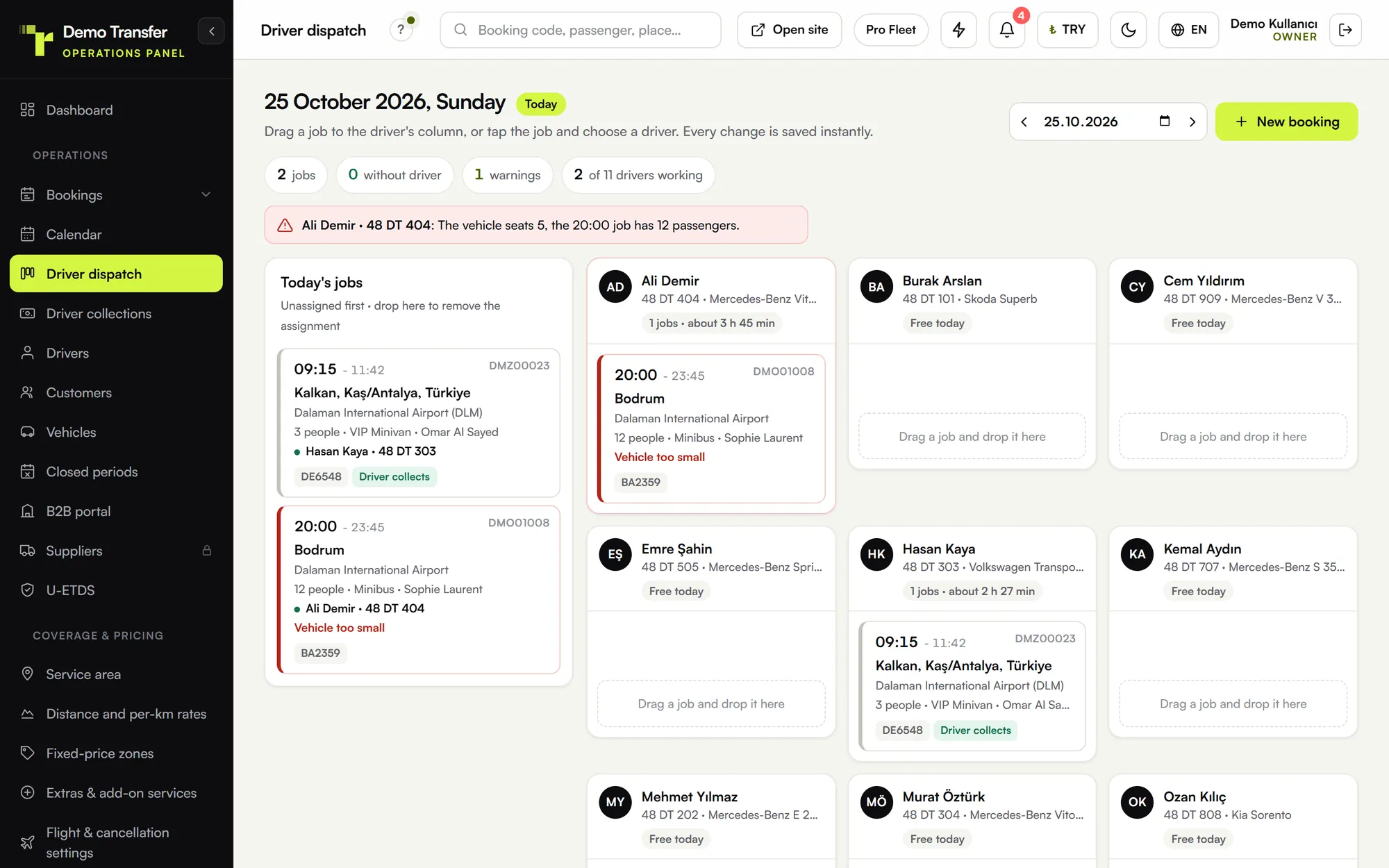
A dispatch board is a screen with unassigned jobs on one side and your drivers on the other. You drag a job onto a driver, and the driver sees it on the phone. The system flags clashing times and vehicles that are too small for the group. Each driver marks the steps of the trip, so the office sees where things stand without calling anyone. On the transfer dispatch and management panel page you can see how all of this looks in practice.
The real change is not speed. It is that the state of your day stops living in someone's memory and starts living in one place that everybody can see.
Move forward, not backward
The most common mistake is trying to move every old record before starting. Do not. Your last three years of bookings can stay in the old spreadsheet, saved somewhere safe. Keep a read-only copy in a shared folder, so anyone can look up an old customer when they need to. What the new system needs is much shorter:
- Your vehicles, with their plates and passenger capacity.
- Your drivers, with a phone number for each.
- Your most common routes and their prices. Start with the ones that make most of your money and add the rest later.
- Every future booking you already have.
Most small companies can gather that in an afternoon. If your fleet is larger, it is worth checking whether someone can do it for you. On our side, data migration is part of the plans listed on the pricing page, and we move vehicles, drivers, customers and prices for you.
Pick the right week
Do not switch at the height of the season. Choose a quieter week, ideally midweek, with nothing unusual on the calendar. Then keep the change small:
- Days one and two: office only. Enter the upcoming jobs on the board and keep running the day from your usual spreadsheet. You are learning, and nothing depends on it yet.
- Days three and four: one or two drivers. Choose one driver who is comfortable with phones and one who is not. If the second can manage, everyone can.
- Day five: everyone. All new jobs go on the board and drivers read their jobs from their phones.
- The following week: close the old way. Set a date and stop updating the spreadsheet. Two live systems are worse than either one, because sooner or later they disagree.
Bringing drivers with you
Drivers are the part that decides whether this works, and they are the ones with the least reason to care about your office's problems. Show them what is in it for them: their jobs in order on one screen, the address and flight details in one place, fewer calls from the office and no more scrolling through a group chat. The driver app for transfer companies is built around that: a phone number and a PIN to sign in, and one tap for each step of the trip.
Sit with each driver for five minutes. Do it on their own phone, not on yours. Then keep the WhatsApp group for what it is good at, which is talking to each other. Just stop using it to hand out jobs. If a driver asks for a job in the chat, send them to the app, politely and every time. A week of this does more than any training session.
What gets harder
An honest list, because it does get harder in places. Everything now has to be entered: a phone booking that used to be a note on your desk must go into the panel, or the board will be wrong. Drivers need working mobile data. Somebody has to own the system, and in the first weeks that person will answer a lot of small questions. For most companies these are fair prices to pay, but they are real. So for the first two weeks, spend ten minutes each evening checking that the board matches what really happened.
Check after the first month
After a month, compare against the signs you started with. Could the person who holds everything together take a day off? Do drivers still ask what time their next job is? Then open your transfer company reports and look at something you could not answer before, such as revenue by channel or how much cash each driver is holding. If you can answer those without opening a spreadsheet, the move has worked.
You can try all of this on your own routes before you commit: every plan on the pricing page starts with 7 free days and no card.